How to Create an AI Actor for Videos and Advertisements
How to build a reusable AI actor — a locked visual identity you can place in unlimited videos and ads — so the same face carries every shot and every campaign without casting, studios or reshoots.
An AI actor is a locked visual identity you build once and reuse everywhere — the same face, body and style placed into unlimited photos, videos and ads. In Adkeet you create one in the Actor Creator (design from scratch or clone your own face), and it stays consistent across every generation, so you get a repeatable spokesperson with no casting, studio or reshoots.
Key takeaways
- An AI actor = a reusable, locked identity, not a one-off generated face.
- Build it once from multiple angles (a turnaround), then reuse it in every project.
- Design from scratch or clone your own face for a brand-locked presenter.
- The same actor across ads turns clips into a recognizable brand character.
- Keep wardrobe and style consistent — identity is more than a face.
Step 1 — Design or clone your actor
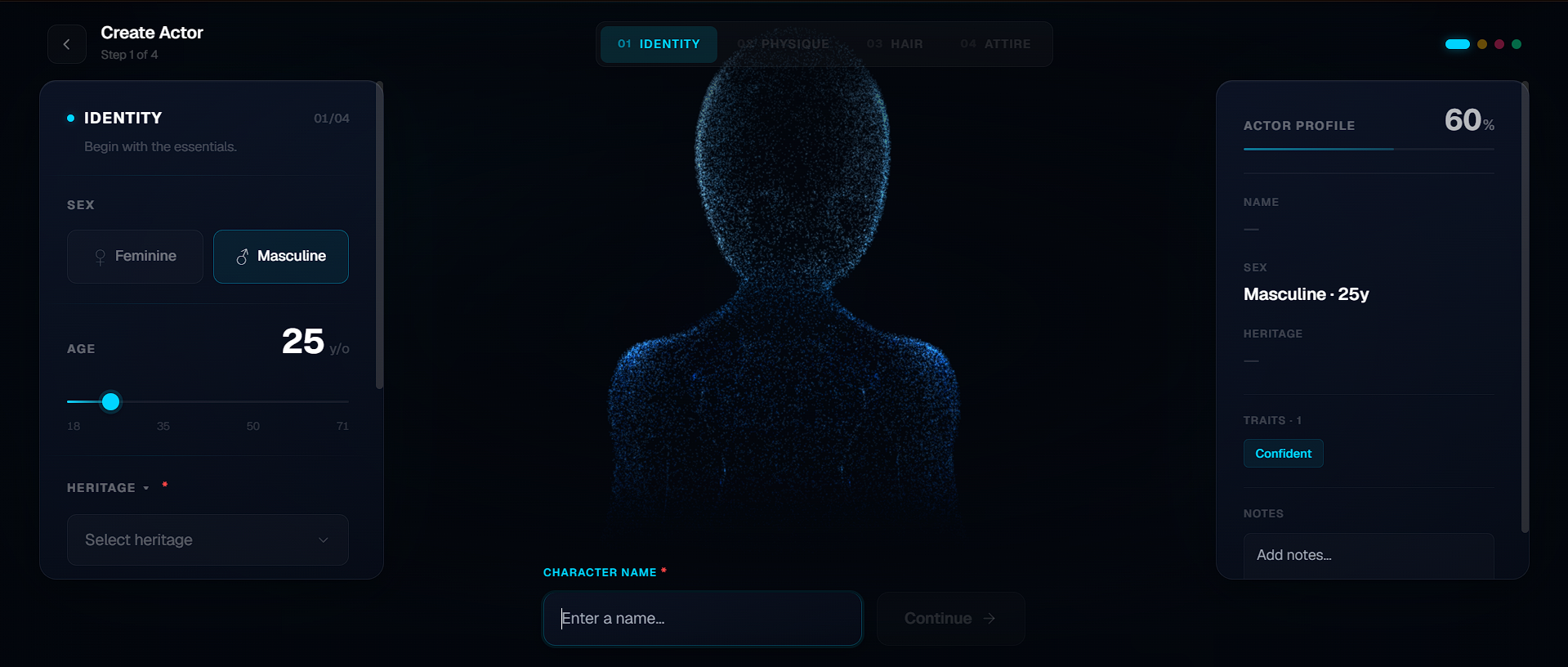
Open the Actor Creator and either build a brand-new person — face, physique, hair, wardrobe, vibe — or, from the Create actor dialog in the editor's Cast panel, upload your own face to clone yourself into a brand-locked presenter. This is the one-time casting decision for your whole content library.
Step 2 — Lock the identity from multiple angles
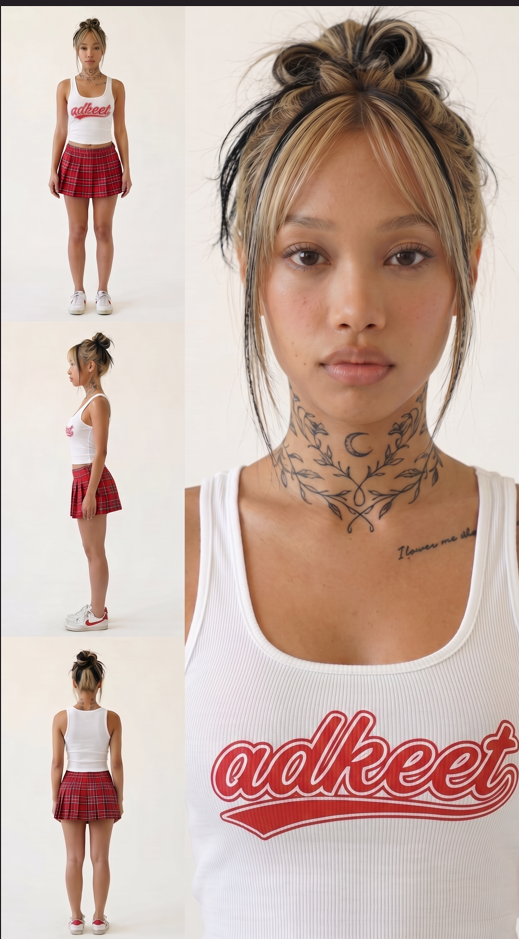
Adkeet generates a turnaround plus a portrait, capturing the actor from several angles at once. That multi-angle lock is what keeps the face from drifting when a later shot turns the character — the core of consistent AI characters.
Step 3 — Use the actor across videos and ads
Drop your locked actor into the Adkeet editor for product ads or the Cinematic Engine Studio for multi-shot videos. Because the identity is fixed, the same person presents every product and appears in every scene — a consistent spokesperson across your whole campaign.
Step 4 — Keep style consistent to build a brand
Lock a signature wardrobe palette and look, not just the face. A presenter whose style stays the same becomes a recognizable brand character over time — the foundation of AI influencer marketing and repeatable UGC.
Limitations & common mistakes
- Fine details (hands, teeth, jewelry) and extreme unseen angles are where any AI actor drifts most — frame around them.
- An Adkeet actor is a consistent VISUAL identity for image and video generation; plan voice/lip-sync in your edit if a script needs spoken delivery.
- Cloning your own face should only ever use your own likeness with consent — don't build actors from other people's images.
- Wardrobe and lighting changes can read as "different person" even with a perfect face — keep the signature look recognizable.
Frequently asked questions
What is an AI actor?
A reusable, locked visual identity — a digital character you build once and place into unlimited videos, ads and photos, staying the same person across every generation instead of a new face each time.
How do I keep an AI actor's face the same in every video?
Lock the identity from multiple angles (a turnaround) once, then drive every generation from that same reference rather than re-describing the face. That's what stops identity drift between shots.
Can I turn my own face into an AI actor?
Yes — import your own face to clone yourself into a brand-locked presenter, then reuse that identity across your content. Only use your own likeness, with consent.
Where can I use my AI actor?
In the Adkeet editor for product ads and in the Cinematic Engine Studio for multi-shot videos — the same locked actor carries across both and across future campaigns.
Sources & further reading
- AI Actors for UGC & Video Ads — CreatorKit
- AI Actors — Studio-Quality Videos — Synthesia
Written by
Adkeet Team · AI Creative StudioThe Adkeet team builds AI filmmaking and advertising tools — the Actor Creator and the Cinematic Engine Studio. These guides come from workflows we run inside the product every day.
Related tutorials
Create your AI actor
Build one locked identity and reuse it across every video and ad.