How to Make AI UGC Ads That Look Natural
The techniques that stop an AI UGC ad from reading as AI — prompting for imperfection, the anti-script rewrite, real environments, and a consistent creator — so it feels like a genuine recommendation.
To make an AI UGC ad look natural, prompt for imperfection, not perfection: a slightly shaky phone camera, natural room light, a real setting and casual delivery. Most people ask for "professional lighting" and "smooth motion" — which produces a commercial. UGC converts because it looks like a real person filmed it, so design for that on purpose.
Key takeaways
- Prompt for imperfection — handheld shake, natural light, off-center framing — not polish.
- Skip glossy transitions and cinematic filters; simple cuts feel more real.
- Use the anti-script test: if you wouldn't text it to a friend, don't say it in the ad.
- Real environments (kitchen, bedroom) beat studios; natural window light beats a rig.
- Keep the same creator across ads with a locked AI actor so the brand has a face.
Prompt for imperfection
The fastest way to make an ad scream "fake" is to over-polish it. Ask the model for a smartphone look: slight grain, minor camera shake, autofocus hunting, uneven natural lighting. Those flaws read as credibility. This is the same imperfect-camera technique in the Ultra Realistic AI Video Guide — flaws are what sell realism.
Rewrite the script until it sounds human
Write your script, read it out loud, and rewrite anything that sounds like an ad. Corporate phrases — "innovative solution," "best-in-class" — instantly signal a commercial. Replace them with how a real customer talks to a friend.
The anti-script test
If you wouldn't say it in a text message, don't say it in a UGC ad. Casual, specific and a little unpolished beats slick every time.
Shoot it in a real place
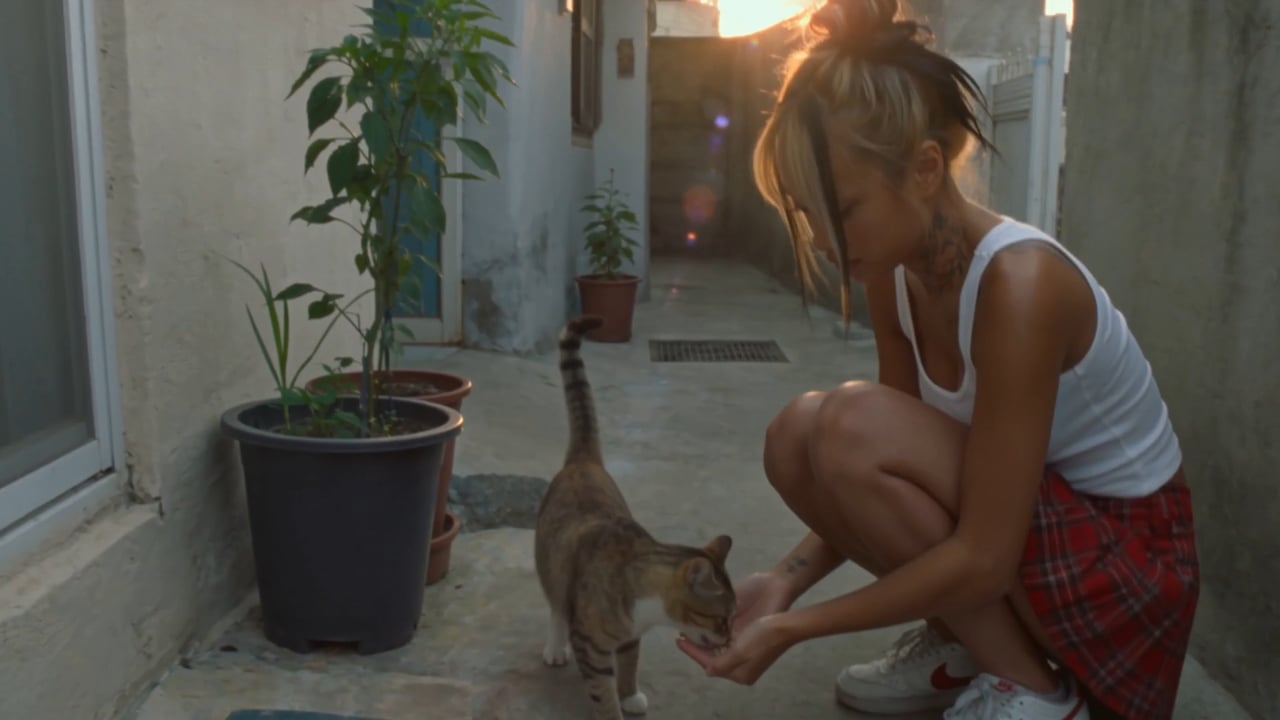
Casual composition, off-center framing, a genuine room (kitchen, car, bedroom) and natural light from a window read as authentic. A clean studio backdrop reads as an ad. Point the scene prompt at a believable everyday environment.
Give the brand a consistent face
One-off clips don't build a brand. Use a locked AI actor so the same creator appears across every ad — and future campaigns — the method in How to Create Consistent AI Characters Across Multiple Scenes. Apparent casualness on top of a consistent, strategic creator is what actually drives results.
Limitations & common mistakes
- "Natural" is a deliberate style, not low effort — the best UGC-style ads are carefully scripted and structured; they just don't look it.
- Over-correcting into chaos hurts too; keep one clear hook and one clear message per ad.
- Never state product results or claims the product can't back up — authenticity of style is not permission to fabricate substance.
- Ad networks treat AI-generated creative differently; check each platform's disclosure and policy rules before running paid.
Frequently asked questions
Why do my AI UGC ads look fake?
Usually over-polish. Prompting for "professional lighting" and "smooth motion" produces a commercial. Ask instead for a smartphone look — slight shake, natural light, casual framing — and rewrite the script to sound conversational.
How do I make an AI ad sound like a real person?
Use the anti-script test: read your script out loud and rewrite anything that sounds like an ad into how you'd tell a friend. Cut corporate phrases like "best-in-class."
Does UGC-style mean low quality?
No. It means intentionally designed to feel authentic. The best UGC-style ads are carefully scripted and structured — the casual look is the strategy, not an accident.
Should AI UGC ads be vertical?
Yes — 9:16 vertical with the hook in the first three seconds, so it sits native in TikTok, Reels and Shorts feeds.
Sources & further reading
Written by
Adkeet Team · AI Creative StudioThe Adkeet team builds AI filmmaking and advertising tools — the Actor Creator and the Cinematic Engine Studio. These guides come from workflows we run inside the product every day.
Related tutorials
Make a UGC ad that doesn't look like AI
Prompt for imperfection, keep it conversational, and keep the same creator.